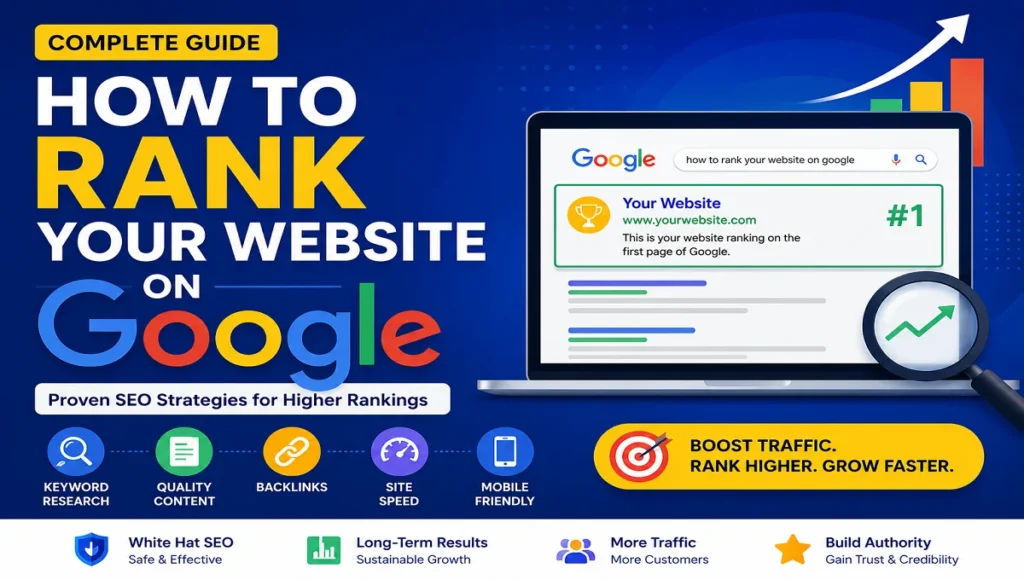
Getting your blog post to rank on Google takes more than just writing good content. Google looks at relevance, quality, user experience, authority, and technical SEO before deciding where your page appears in search results.
This guide walks you through the exact process used by successful bloggers and SEO professionals.
1. Start With Keyword Research
Before writing anything, find out what people are actually searching for.
Good keywords:
- Have decent search volume
- Match user intent
- Aren’t too competitive for your site
Best Keyword Research Tools
Example
Instead of targeting:
“SEO”
Target:
“how to rank a blog post on Google”
Long-tail keywords are easier to rank for.
2. Understand Search Intent
Google ranks pages that best satisfy the searcher’s goal.
There are 4 main types of intent:
- Informational (“how to rank on Google”)
- Navigational (“Facebook login”)
- Commercial (“best SEO tools”)
- Transactional (“buy SEO course”)
For blog posts, informational intent usually works best.
3. Write High-Quality Content
Google rewards content that is:
- Helpful
- Original
- Well-structured
- Easy to read
- Better than competing pages
Structure Your Blog Properly
Use:
- One H1 title
- H2 and H3 subheadings
- Short paragraphs
- Bullet points
- Images
- Internal links
Recommended Length
For competitive keywords:
- 1,500–3,000 words often performs well
But quality matters more than word count.
4. Optimize On-Page SEO
Include your target keyword naturally in:
- Title
- URL
- Meta description
- First 100 words
- Headings
- Image alt text
Example SEO-Friendly URL
Bad:
example.com/post123?id=77Good:
example.com/how-to-rank-on-googleMeta Description Example
Learn how to rank your website on Google using proven SEO strategies, keyword research, backlinks, and content optimization.
5. Create an Attention-Grabbing Title
Your title affects both rankings and click-through rate (CTR).
Good Blog Title Formula
Number + Benefit + Keyword
Examples:
- “10 SEO Tips to Rank Higher on Google”
- “How to Rank a Blog Post on Google Fast”
- “Beginner’s Guide to Google SEO”
Use headline analyzers:
6. Improve Website Speed
Google prefers fast-loading websites.
Improve Speed By
- Compressing images
- Using caching
- Choosing fast hosting
- Using a CDN
- Minimizing plugins/scripts
Speed Testing Tools
7. Make Your Site Mobile-Friendly
Most Google searches happen on mobile devices.
Test your site on:
- Phones
- Tablets
- Different browsers
Responsive design is essential.
8. Use Internal Linking
Link to related articles on your website.
Benefits:
- Helps Google crawl your site
- Increases time on site
- Passes SEO authority
Example:
“You may also like our guide on technical SEO.”
9. Get High-Quality Backlinks
Backlinks are one of Google’s strongest ranking signals.
Good backlinks come from:
- Relevant blogs
- News sites
- Industry websites
- Guest posts
Ways to Earn Backlinks
- Write unique research
- Create useful guides
- Publish statistics
- Outreach to bloggers
- Guest posting
Helpful SEO Outreach Tools
10. Optimize Images for SEO
Use:
- Descriptive filenames
- Alt text
- Compressed images
- WebP format when possible
Example alt text:
“SEO checklist for ranking blog posts on Google”
11. Add Schema Markup
Schema helps Google understand your content.
Useful schema types:
- Article
- FAQ
- Breadcrumb
- Review
Test schema here:
12. Submit Your Site to Google
Use:
Submit:
- Sitemap
- New URLs
- Updated pages
Monitor:
- Indexing
- Keywords
- Clicks
- Errors
13. Update Old Content Regularly
Google favors fresh content.
Update:
- Statistics
- Screenshots
- Examples
- Broken links
- SEO optimization
Even small updates can improve rankings.
14. Improve User Experience (UX)
Google tracks behavior signals like:
- Bounce rate
- Time on page
- Engagement
Improve UX with:
- Clean design
- Readable fonts
- Fast loading
- Easy navigation
15. Use EEAT Principles
Google values:
- Experience
- Expertise
- Authoritativeness
- Trustworthiness
Add:
- Author bio
- Real examples
- Sources
- Contact page
- Privacy policy
Learn more:
Simple SEO Checklist for Every Blog Post
Before Publishing
✅ Keyword research
✅ SEO title
✅ Meta description
✅ Internal links
✅ Optimized images
✅ Mobile-friendly design
✅ Fast loading speed
After Publishing
✅ Submit URL to Google
✅ Share on social media
✅ Build backlinks
✅ Update content regularly
✅ Track rankings
How Long Does It Take to Rank on Google?
Typical timeline:
- New websites: 3–12 months
- Established websites: weeks to months
SEO is a long-term strategy, not instant traffic.
Best SEO Plugins for WordPress
Final Tips
To rank higher on Google consistently:
- Target the right keywords
- Write genuinely helpful content
- Optimize on-page SEO
- Build backlinks
- Improve user experience
- Stay consistent
SEO compounds over time. A few strong blog posts can drive traffic for years.
Discover more from
Subscribe to get the latest posts sent to your email.